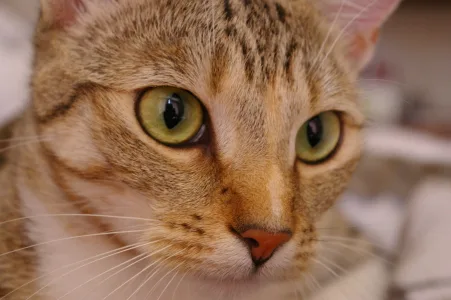
Cozy Cat
Original PixelMaster artwork · CC0 · rights reviewed
Turn any photo, logo, or drawing into pixel art in one click — then export it as pixel art, a perler bead pattern, or a sprite sheet.
Bead pattern preview · 42 × 42 grid · 12 colors · 1,764 beads
Static before-and-after preview. The source and bead pattern remain labeled while you adjust the slider.
Made for making
Browse bead-ready ideas, then open one in the creator and make it yours.
Proof you can inspect
Each example uses the same approved pattern data from first idea to build preview. Nothing is a stock-photo promise or a hidden mock.
Original PixelMaster artwork · CC0 · rights reviewed
Twelve reviewed proof sets are available in the launch manifest; this page features three to keep the first visit focused.
PixelMaster creator
Upload a photo, logo, or drawing. We’ll build a clean grid, match it to your bead colors, and give you a printable shopping list.
Benefits
PixelMaster turns an uploaded image into pixel art, a clean grid, and a ready-to-make bead pattern — accurate color mapping and everything you need to create.
The simple loop
Upload, generate, and go — three simple steps, no account needed.
Drop in a photo, logo, or pixel art from your device.
Colors are mapped to a pixel grid automatically — or export a bead pattern.
Export the art, grid, and a per-color shopping list.
Join thousands of makers using PixelMaster for pixel art and bead projects.
“I turned a photo of my dog into a bead pattern in minutes. The color mapping is spot-on and the shopping list saved me from guessing.”
“Perfect for classroom projects. The grid and coordinates make it easy for students to follow, and we can export a clean shopping list.”
“The custom palette support is amazing. I can work with my own color set and the pattern stays pixel-perfect.”
Made to remix
Every preview below is generated from an approved PixelMaster template, so you can inspect the grid before remixing it.
Made for real projects
Start with the same build-ready workflow, then make it fit your project.
Turn a favorite photo into a relaxed weekend project with a clear grid and a bead count you can trust.
Start small, then refine the colors before you build.
Make approachable classroom or family projects from familiar images, with printable facts for every pattern.
Keep the instructions visible while everyone follows along.
Explore repeatable motifs, adjust a palette, and export a clean pattern for a product idea or small collection.
Use templates as a starting point, not a locked design.
Answers before you start
The essentials about images, privacy, patterns, and pricing.
PixelMaster is a free, browser-based pixel art maker that turns any image into pixel art or a perler bead pattern. It maps colors to your palette, generates a grid, and exports pixel art plus a per-color shopping list.
Upload any photo or logo, and PixelMaster converts it to a pixel grid in one click. You control the grid size, color threshold, and palette before generating.
Yes. The same generator exports a perler, hama, or artkal bead pattern with per-color bead counts and a shopping list.
PixelMaster works with popular perler and fuse bead color systems, and you can build and save your own custom palette to match the beads you own.
No. Everything runs locally in your browser. Your image is never uploaded, so your photos stay private.
Yes. You can make pixel art and generate patterns for free with no signup. Paid plans add higher limits and advanced features.
You can upload JPG, PNG, or GIF images, or import pixel data from a CSV file.
You can control the grid size, color merge threshold, and background removal before generating, so patterns stay readable no matter the source image.
Turn any image into pixel art in seconds — free, no signup.